A Blender render farm is any setup that spreads an animation across more than one computer, so you have three realistic routes: run your own machines from the command line, manage them with Flamenco, or send the job to a commercial farm. The best one depends on how many computers you already have and how close your deadline is.
If you have two or more computers on the same network, Flamenco is the natural place to start, because it is free and made for Blender. If you have a single machine and a deadline, a commercial farm will usually be faster than building anything.
The Three Routes Compared
| Route | Cost | Setup effort | Best for |
|---|---|---|---|
| Command line on your own machines | Free software | Low | Overnight renders on one or two computers |
| Flamenco on your own machines | Free software | Medium | Small studios with several computers |
| Commercial render farm | Pay per job | Low | Large jobs and tight deadlines |
| Rented cloud GPUs | Pay per hour | High | Custom setups and add-ons |
Option 1: Render From the Command Line
You do not need a farm for a single overnight job. Blender can render without opening its interface, which frees up memory and lets you start a job from a script. According to the Blender command line manual, this renders a whole animation in the background:
blender -b file.blend -a
The manual also notes that -f and -a should come last in the command, because Blender reads the arguments in order. To split a job between two computers by hand, give each one a different frame range using -s and -e before -a.
That manual split works for a small job. It gets tedious quickly, though, and if a machine crashes you have to work out what is missing yourself. That is the problem a render manager solves.
Option 2: Build a Small Farm With Flamenco
Flamenco is a free and open source render manager released under the GPL 3.0, with development supported by the Blender project. It is used in production at Blender Studio and is self-hosted, so it runs on your own computers rather than on someone else’s service.
What You Need
The Flamenco quickstart lists three requirements:
- Flamenco Worker: one or more computers to do the rendering.
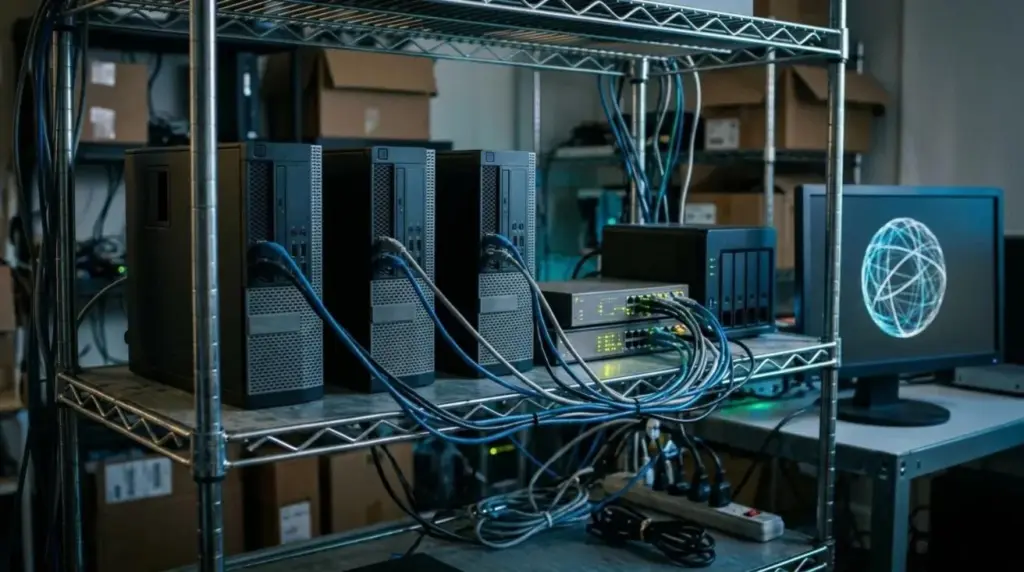
- Flamenco Manager: a computer to run the central software.
- Shared storage: a local network with file sharing, so every computer reaches the same files.
The shared storage requirement is the one that catches people out. Every machine needs to reach the project at the same path, which is why a NAS suits this job. Our guide to setting up a NAS for several artists covers the structure and permissions.
The Setup, in Order
- Create a shared folder on your NAS or file server.
- Make it available at the same path on every computer.
- Install and start Flamenco Manager on one machine.
- Install Flamenco Worker on each rendering machine.
- Add the Flamenco add-on to Blender and connect it to the Manager.
- Submit a short test job and confirm that frames arrive in the output folder.
Always follow the current documentation, as Flamenco version 3 is still in active development. Keep the same Blender version on every machine too, because mismatched versions are an easy way to get frames that do not match.
Option 3: Use a Commercial Render Farm
A commercial farm makes sense when your job is too large for your hardware. You upload a scene, choose your settings and download frames. Many services support Blender, and their prices are not directly comparable, so learn how the billing works first.
Our guide to estimating render farm cost shows how to work out a job with a real test frame before you upload anything. If you want more control over the software, compare that with renting a cloud GPU.
CPU or GPU Workers?
Cycles can render on either, and mixed farms are possible. The Blender GPU rendering manual lists support for several backends:
| Backend | Hardware |
|---|---|
| CUDA and OptiX | NVIDIA GPUs |
| HIP | AMD GPUs |
| oneAPI | Intel GPUs |
| Metal | Apple Silicon |
Graphics memory often decides this choice. Per the manual, Blender can fall back to system memory on several backends when GPU memory fills, which is slower, and an out-of-memory error usually means the scene does not fit. Test your heaviest frame on the weakest worker before relying on it.
Prepare the Scene Before Any Farm Sees It
Most failed farm jobs come down to missing files or settings that only worked on the original computer. Run through this before submitting:
- Use relative paths, or pack textures into the file.
- Bake simulations, so workers do not recalculate them differently.
- Check that any add-ons you depend on exist on every worker.
- Render to an image sequence, not a video file, so a crash loses only one frame.
- Confirm the output path works from every machine.
- Render a few frames from across the shot and inspect them.
The advice on image sequences is worth repeating. If a video render fails at frame 2,000, you may lose everything, while an image sequence simply restarts at the missing frame.
Is a Small Farm Worth Building?
The honest answer depends on how often you render. Estimate your job first with the render time and output storage planner. If two spare computers bring a job down from days to one night, Flamenco pays off quickly. If you only need extra capacity twice a year, renting is probably simpler.
Remember that adding machines does not help every bottleneck. Slow storage can hold a farm back whatever the number of workers, as our guide to scaling a render farm for deadlines explains.
Frequently Asked Questions
Is Flamenco free?
Yes. Flamenco is free and open source under the GPL 3.0. You still pay for your own hardware, electricity and any storage it needs.
Can I use Flamenco without a NAS?
You need shared storage that all computers can reach at the same path, but it does not have to be a dedicated NAS. A shared folder on one computer can work for a small test setup.
Can I mix different computers in a Blender render farm?
Yes, but check that every machine runs the same Blender version and has enough memory. Different hardware can also produce slight differences, so inspect test frames.
Does Blender support network rendering by itself?
Blender does not include a full render manager, so you use the command line, Flamenco or a commercial service to spread a job across computers.
Next Step
Count the computers you can spare and render one heavy test frame on each. If you have two or more, read the Flamenco quickstart and try a ten-frame job. If you have one, work out what the job would cost with our render farm cost guide.