By Evan ThornePublished: February 19, 2026Updated: May 25, 2026
Animation studios invest heavily in software licenses, render hardware, and pipeline infrastructure. They often treat workstations as an afterthought, buying standard office chairs and fixed-height desks because they look professional in a client tour. The result is a slow-burn liability that shows up in workers’ compensation claims, lost productivity, and turnover among experienced artists who can no longer tolerate the physical toll of twelve-hour sessions in poorly configured spaces.
The ergonomic risks in animation workplaces are specific and measurable. They are not generic office complaints about back pain. They are repetitive strain injuries from tablet pen grip, cervical spine compression from monitor height mismatch, ulnar nerve entrapment from hard desk edges, and shoulder impingement from chairs that do not support the scapula during extended arm reach. Each of these has a direct cause in the workstation setup, and each has a specific fix that costs less than one month of a senior animator’s salary.
Chair Height and Seat Pan Depth
The chair is the foundation of the workstation. If the chair is wrong, every other adjustment is a compromise. The correct seat height places your feet flat on the floor with your knees at approximately 90 degrees. If your feet dangle or your knees are significantly higher than your hips, the lumbar support of the chair is misaligned with your spine, and your weight shifts forward onto the thighs instead of distributing through the pelvis.
Seat pan depth is equally important and often ignored. A seat that is too deep forces you to sit forward to avoid pressure behind the knees, which eliminates back support. A seat that is too shallow does not support the thighs adequately, increasing pressure on the sit bones and encouraging slouching. The correct depth allows two to three fingers of clearance between the front edge of the seat and the back of your knee when your hips are fully against the backrest. Most quality chairs offer adjustable seat pan depth. If yours does not, it is the wrong chair for extended work.
Armrests are a common source of problems. Fixed-height armrests that are too high force shoulder elevation, which compresses the cervical spine and causes neck tension. Armrests that are too low provide no support and become obstacles. The ideal armrest height allows your shoulders to remain relaxed with your elbows at approximately 90 degrees when your forearms are supported. For animation work, where the dominant arm is often extended toward a tablet or pen display, the armrest should support the non-dominant arm while allowing free movement of the dominant arm without collision.
Desk Height and Surface Clearance
Standard desk height is 29 to 30 inches. This is based on typing posture for average-height office workers. It is not based on drawing posture, tablet use, or the extended arm reach that animation requires. A desk that is too high forces shoulder elevation and wrist extension. A desk that is too low causes forward trunk flexion and neck strain from looking down at the monitor.
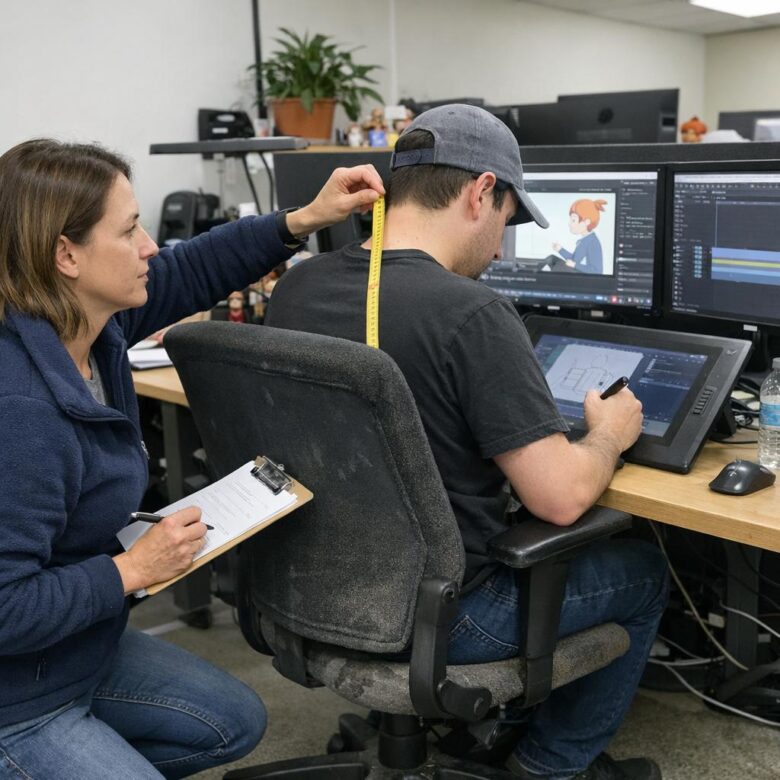
The correct desk height depends on your seated elbow height. Measure your elbow height from the floor while seated in your properly adjusted chair. The desk surface should be at or slightly below this height. For most animators, this means a desk height between 26 and 28 inches, which is lower than standard office furniture. If you cannot replace the desk, use a keyboard tray or lower the monitor arm to bring the work surface into alignment with your elbows.
Surface clearance under the desk is critical for leg movement and chair positioning. A desk with a thick central support or a drawer stack on the dominant side prevents you from positioning the chair close enough to the work surface. You end up reaching forward, which loads the shoulder and upper back. Minimum clearance is 24 inches of unobstructed width at knee height, with enough depth to allow the chair to roll forward until the hips are under the desk edge.
Monitor and Pen Display Positioning
Monitor height is the most common ergonomic failure in animation studios. The top of the monitor should be at or slightly below eye level. Most studios place monitors too high, forcing the user to look upward, which compresses the cervical vertebrae and activates the neck extensor muscles continuously. Over months, this causes chronic tension headaches, reduced neck mobility, and in severe cases, cervical disc issues.
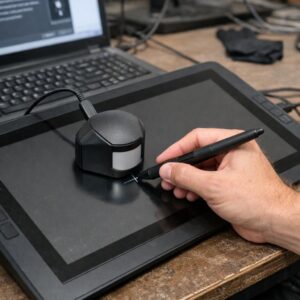
For pen display tablets, the positioning is more complex because the tablet is both the input device and the display. The tablet should be angled between 15 and 30 degrees from horizontal, which is lower than a standard monitor. This angle requires looking downward, which is actually healthier for the neck than looking straight ahead or upward. The trade-off is that the secondary monitor, if present, must be positioned carefully to avoid forcing the head to rotate or tilt excessively when switching between the tablet and the reference screen.
Distance from the eyes to the screen should be approximately an arm’s length. Closer distances increase eye strain and reduce the field of view, causing the user to move the head rather than the eyes to scan the screen. For pen displays, the natural drawing distance is often closer than an arm’s length. This is acceptable if the tablet is angled and the user takes regular breaks to focus on distant objects, which relaxes the ciliary muscles of the eye.
Tablet and Input Device Setup
The tablet surface should be large enough to allow full arm movement without requiring the wrist to bend or the shoulder to overextend. A small tablet forces the user to draw from the wrist and fingers, which concentrates repetitive strain in the extensor tendons. A large tablet allows drawing from the shoulder and elbow, distributing the workload across larger muscle groups and reducing the risk of tendonitis.
Pen grip is a personal variable, but certain grips are structurally risky. A grip that presses the pen against the middle finger knuckle creates pressure on the digital nerve, which can cause numbness and tingling in the fingertip. A grip that holds the pen with excessive force loads the forearm flexors and causes medial epicondylitis, commonly known as golfer’s elbow. The pen should rest lightly between the thumb and index finger, with the middle finger providing guidance rather than pressure. The grip force should be no more than necessary to control the pen tip.
Tablet buttons and express keys should be positioned so that the non-dominant hand can access them without reaching across the body or twisting the wrist. If the tablet is on the left side of the desk for a right-handed user, the express keys should be on the left edge of the tablet, not the top or right edge. Reaching across the tablet surface to hit a shortcut key causes trunk rotation and shoulder strain that accumulates over long sessions.
Environmental Factors and Break Patterns
Lighting affects posture more than most people realize. Poor lighting causes the user to lean forward to see the screen or the drawing surface, which increases trunk flexion and cervical load. Ambient lighting should be bright enough to reduce the contrast between the screen and the surrounding environment, but not so bright that it causes glare on the tablet surface. The ideal is a neutral, diffused light source positioned to the side, not directly behind or in front of the screen.
Temperature and airflow also influence posture. A cold room causes shoulder hunching and reduced circulation to the hands. A hot room causes fatigue and slouching. Air conditioning directed at the neck or shoulders from ceiling vents is a common problem in studios. The cold draft causes chronic muscle tension that the user does not notice until it becomes pain. Redirect vents or use local air deflectors to prevent direct airflow on the workstation.
Break patterns are the behavioral component of ergonomics. The 20-20-20 rule, looking at something 20 feet away for 20 seconds every 20 minutes, is a minimum standard. For animation work, where the eyes are focused at a fixed distance for hours, longer breaks are necessary. A five-minute break every hour, during which the user stands, walks, and focuses on distant objects, reduces the cumulative strain significantly. Studios that discourage breaks because of deadline pressure are trading short-term output for long-term disability claims.
Summary
- Chair seat height should place feet flat with knees at 90 degrees. Seat pan depth should allow two to three fingers behind the knee.
- Desk height should match seated elbow height, typically 26 to 28 inches for animation work.
- Monitor top should be at or slightly below eye level. Pen displays should be angled 15 to 30 degrees from horizontal.
- Tablet size should allow full arm movement. Pen grip should be light, with pressure distributed across the hand, not concentrated on one finger.
- Lighting should be diffused and positioned to prevent glare and forward leaning.
- Regular breaks are not optional. Five minutes per hour of standing and distant focusing reduces cumulative strain.
Ergonomic workstation setup is not a wellness perk. It is a production infrastructure decision with direct financial consequences. A studio that prevents one repetitive strain injury saves more than the cost of proper chairs, desks, and monitors for an entire team. The investment is immediate. The return compounds over years of healthy, productive work.
Technical troubleshooting in animation extends beyond hardware ergonomics to the rendering and visualization systems that artists depend on. When real-time ray tracing produces inconsistent results across cinematic sequences, the root cause is often a configuration issue rather than a content problem. Our guide on troubleshooting ray tracing artifacts in real-time engine cinematic sequences explains how to isolate and fix the subsystem interactions that cause fireflies, ghosting, and denoiser artifacts in production renders.